What Is the EU Digital COVID Certificate? How to Apply for a Vaccine Passport
March 17, 2022 •
yangirene168
Share:
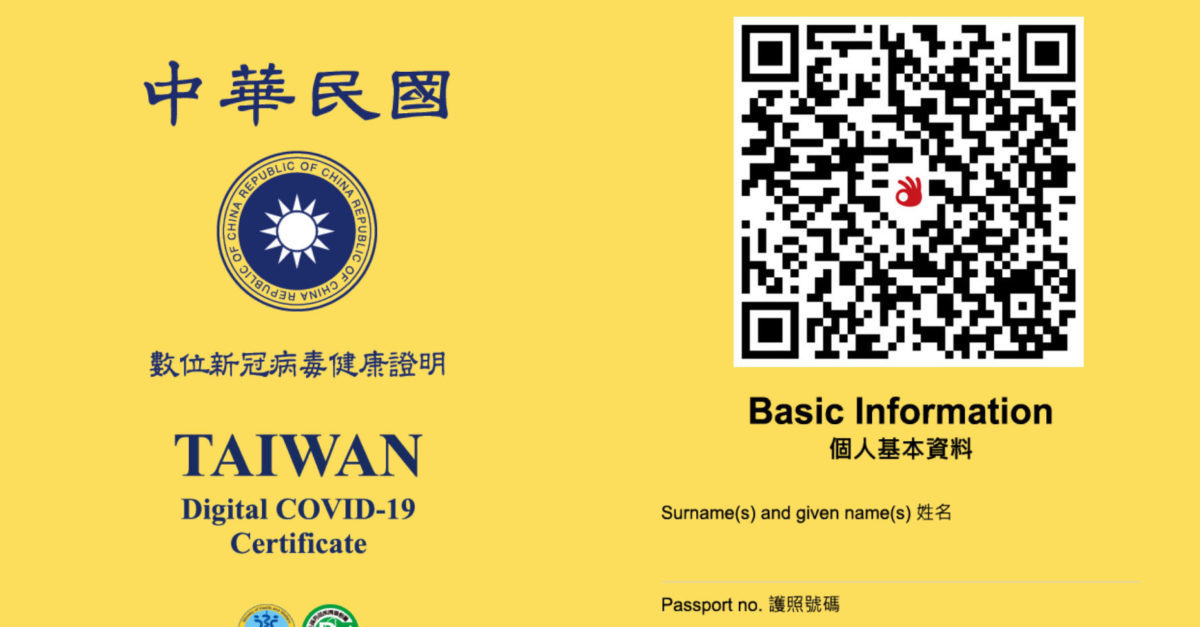
More than two years have passed since COVID-19 first emerged in late 2019, and it has reshaped everyday life around the world. The European Commission recently confirmed that Taiwan can join the EU Digital COVID Certificate system, and the US has also recognised this certificate as equivalent to IATA's digital COVID certificate. That means applying for Taiwan's "Digital COVID-19 Vaccination Certificate" (the "vaccine passport" below) now lets you enter many countries quickly, and you will no longer need to carry the paper "yellow card" for future trips!
The vaccine passport's digital design uses anti-counterfeiting credential specifications compatible with the EU, enabling cross-border trust and data interoperability. There is also no need to worry about personal data leaking, since the digital certificate follows the EU's GDPR principles of minimal disclosure, data portability, and the right to be forgotten — you simply carry it for verification without leaving any data behind, with no risk of a personal data leak.
What is the vaccine passport?
Created to ease the disruption COVID-19 has caused worldwide and help people return to normal life, the vaccine passport is an official document certifying vaccination status or test results. Two types are available: 1. A digital vaccination certificate. 2. A digital test result certificate. Anyone — Taiwanese citizens or foreign residents — who has been vaccinated against COVID-19 or undergone a PCR test in Taiwan can apply! Below is a simple guide covering what documents you need and how to apply.
Vaccine passport eligibility and required documents
Who is eligible
Anyone previously vaccinated in Taiwan (holding a "yellow card")
Anyone who has undergone a PCR test
Documents you'll need
Taiwanese citizens (choose any one of the three methods below)
Foreign residents (choose any one of the three methods below)
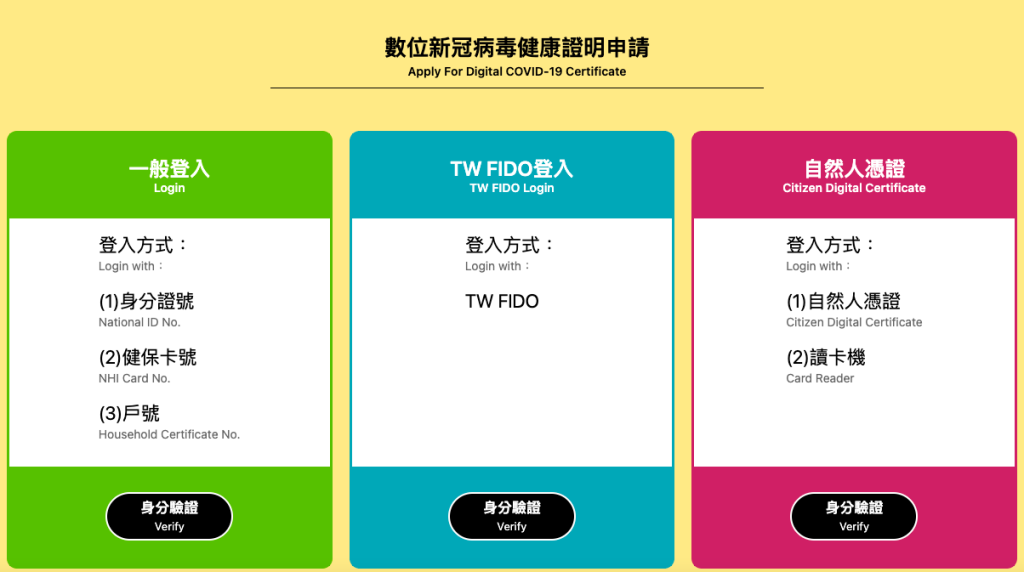
Standard login: National ID number + NHI card number + household registration number
NHI card login: Unified ID number + NHI card number
TW FIDO login: TW FIDO (mobile citizen digital certificate)
Entry/Exit Permit login (for residents of mainland China, Hong Kong, Macau, or citizens without household registration): Unified ID number + Entry/Exit Permit number
Citizen Digital Certificate login: Citizen Digital Certificate + card reader
Passport login (for foreign nationals): Unified ID number + passport number
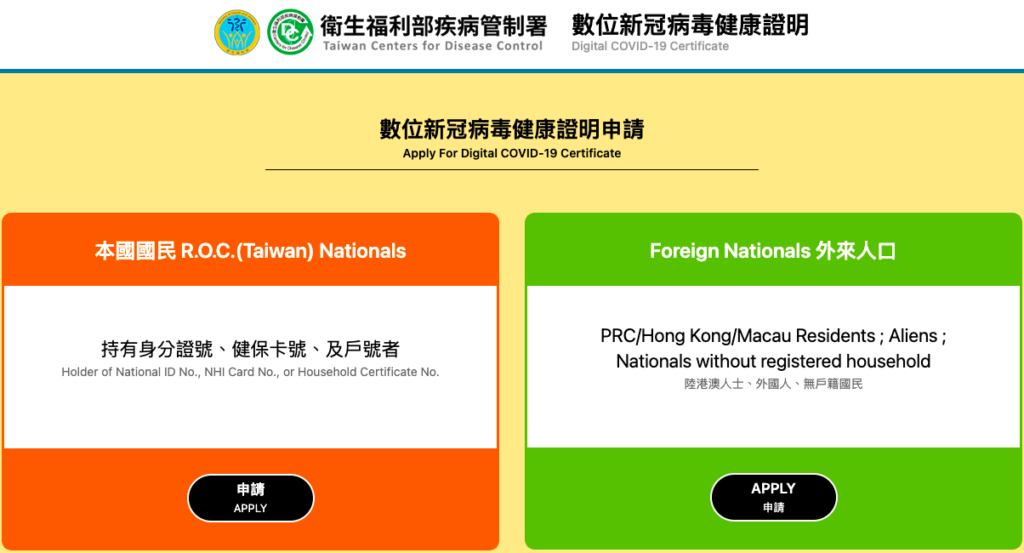
1. Choose your applicant type (Taiwanese citizen or foreign resident) — this guide demonstrates the citizen path
2. Choose a login method (standard login shown here) — have your national ID number, NHI card number, and household registration number ready
3. Complete identity verification: enter your national ID number, NHI card number, and household registration number (all required fields)
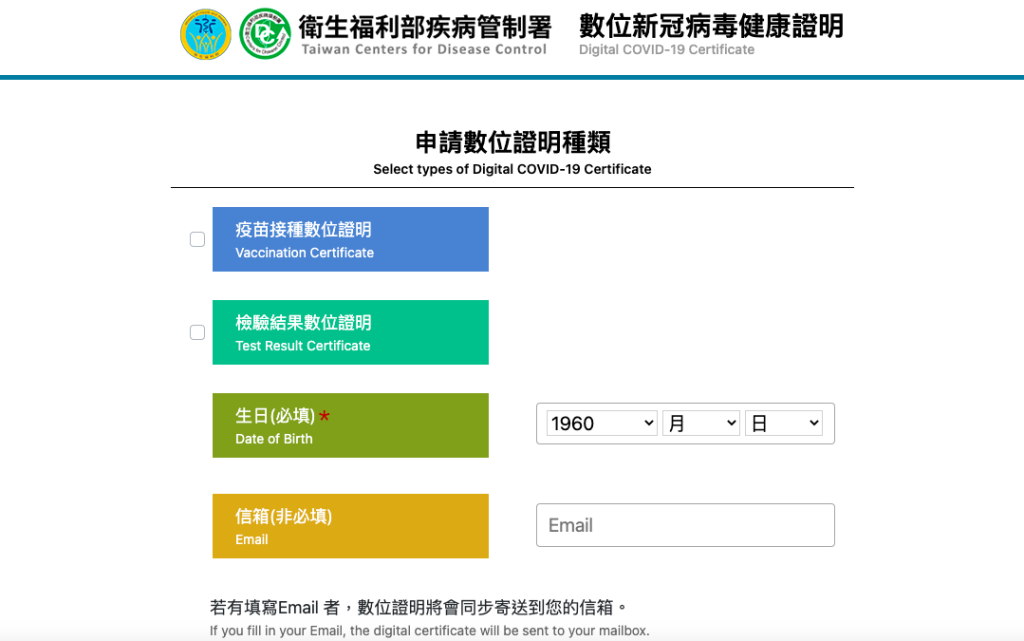
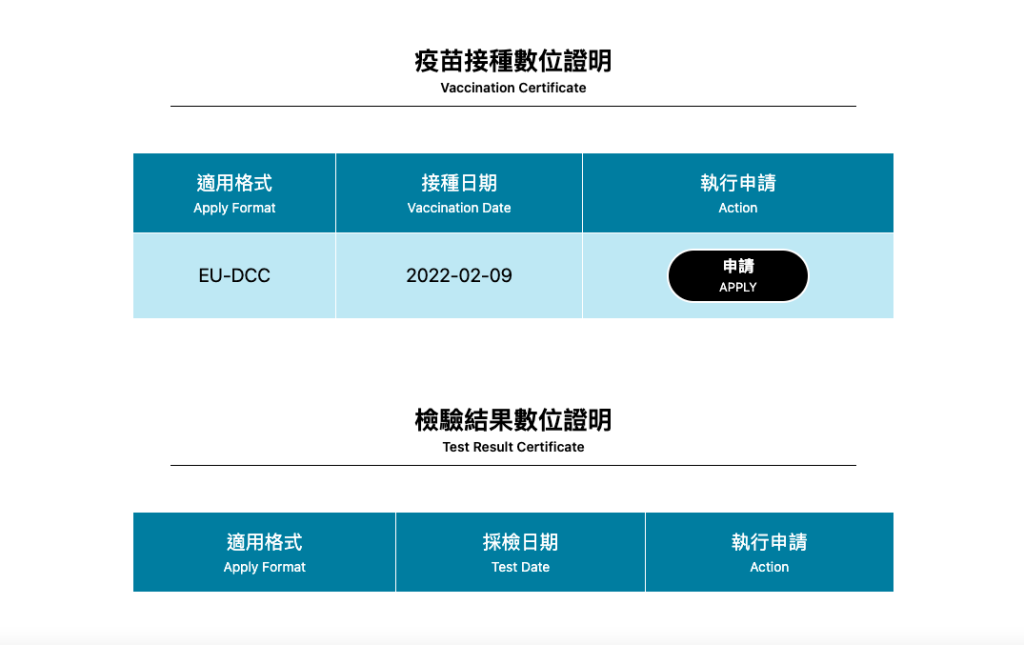
4. Choose the type of digital certificate to apply for
Either the "digital vaccination certificate" or the "digital test result certificate" (you may select both). Note that COVID-19 vaccine doses received abroad are not included in this digital health certificate.
5. Click to submit your application, which will open in a new tab
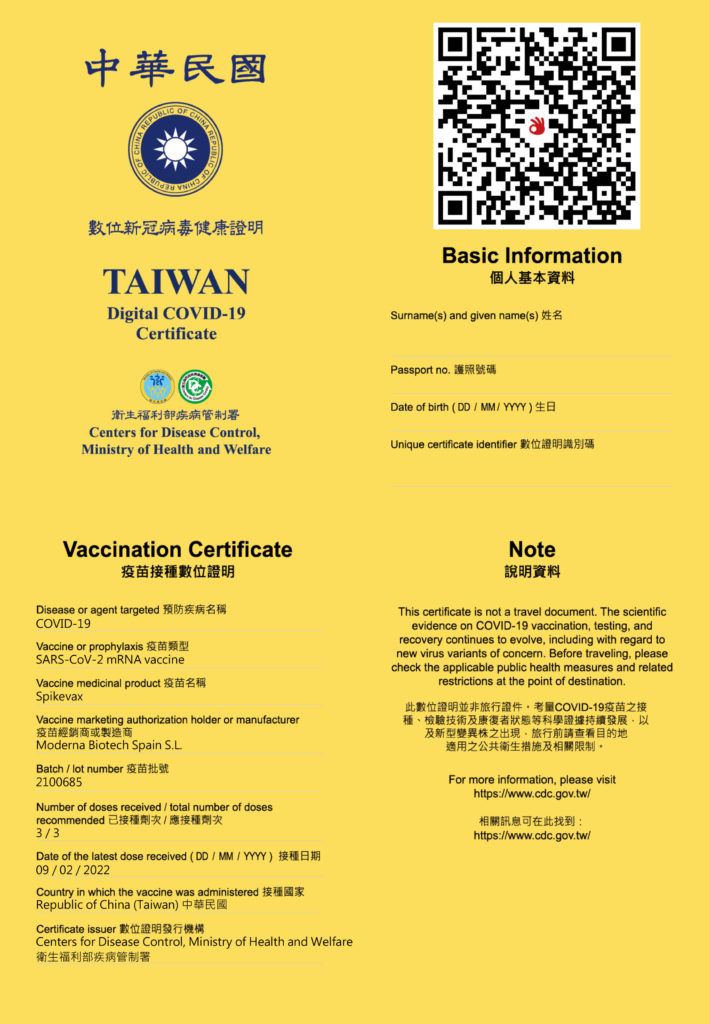
6. Once your application succeeds, click "Download/Print Digital Certificate"
The vaccine passport is issued as a PDF file. We recommend saving it to your mobile device, computer, or cloud storage, and keeping those devices secure to avoid losing or leaking the file.
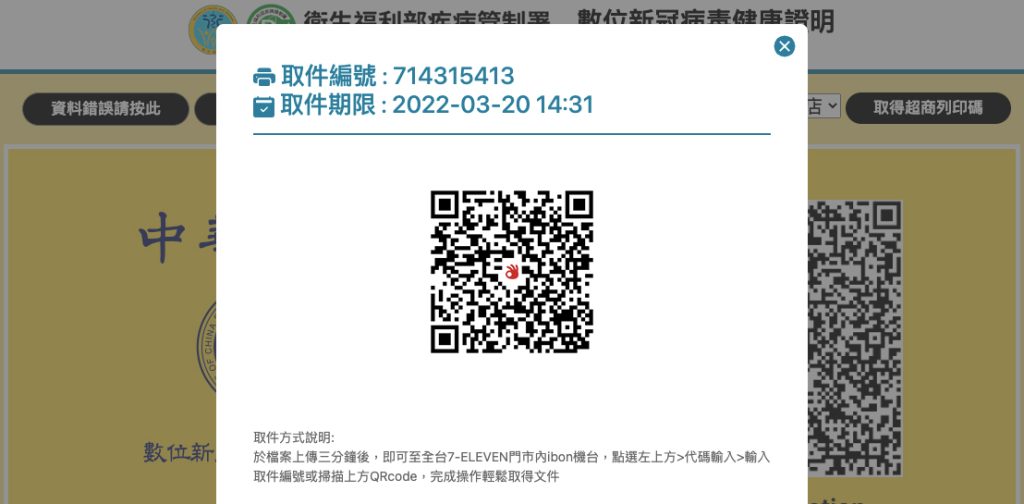
7. If you need a printed copy, you can also select "Get convenience store print code" — currently supported at 7-Eleven and FamilyMart only
Be sure to enter your pickup code or scan the QR code at the chosen convenience store's machine before the deadline, and keep the printed copy secure afterwards.
 Japan eSIM | DJB
 South Korea eSIM | DJB
 Thailand eSIM | DJB
 Americas eSIM | DJB
 Americas eSIM | DJB
 Philippines eSIM | DJB





Comments are closed for this article.
Comments (0)